
Archiving and Un-Archiving Users/Assessments
Active users are typically current employees or candidates being considered for open positions. You can Archive the profiles for former employees and candidates. Archived users are not deleted, but moved from the ‘All Active MAPs’ list to the ‘All Archived MAPs’ list.
To archive a user…
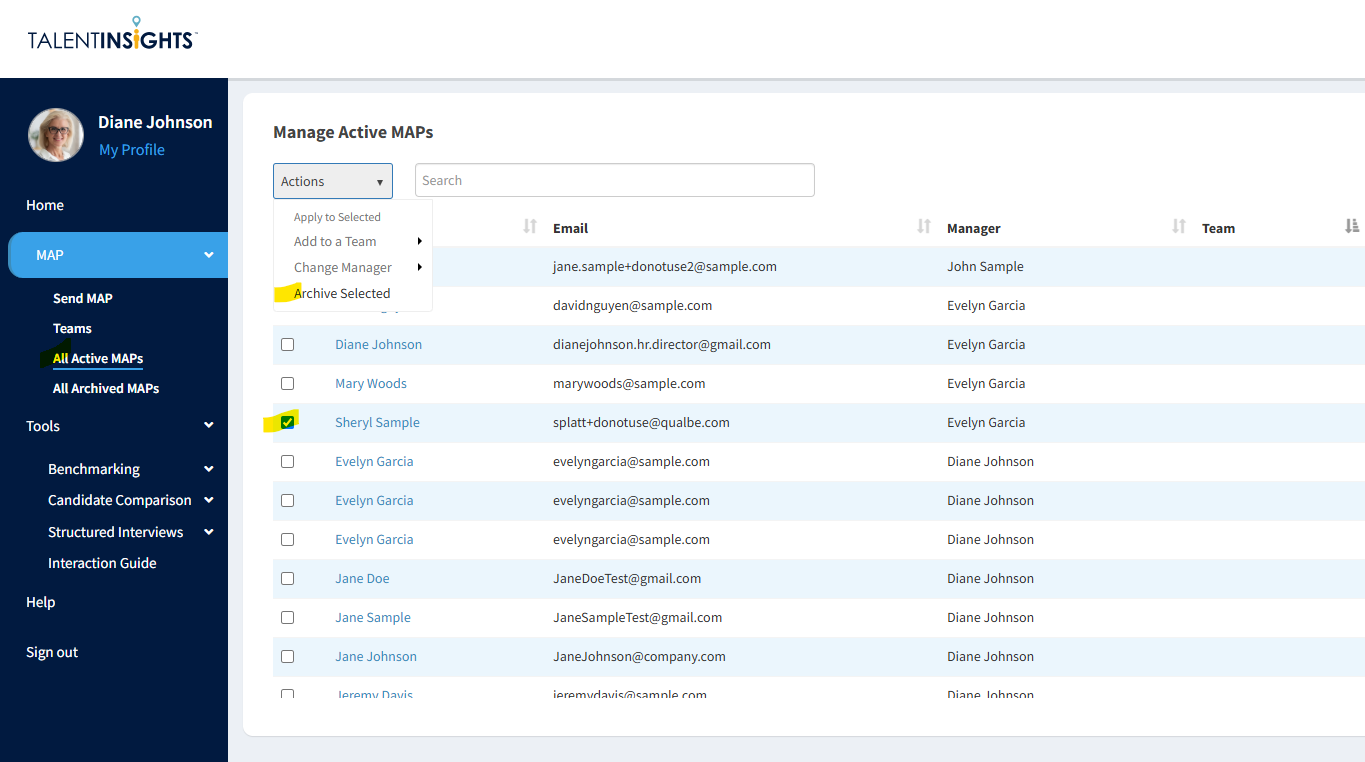
- Go to the ‘All Active MAPs’ tab
- Check the box to the left of the name of each user you wish to Archive.
- From the ‘Actions’ drop-down menu, select ‘Archive’
- The profile will no longer be listed on the ‘All Active MAPs’ page, but can be found on the ‘All Archived MAPs’ page.
Archived users can include former employees or candidates for previous job openings. Sometimes former employees return or previous candidates apply for new openings. Instead of having them re-take the assessment, you can simply un-archive their profile.
To un-archive a user…
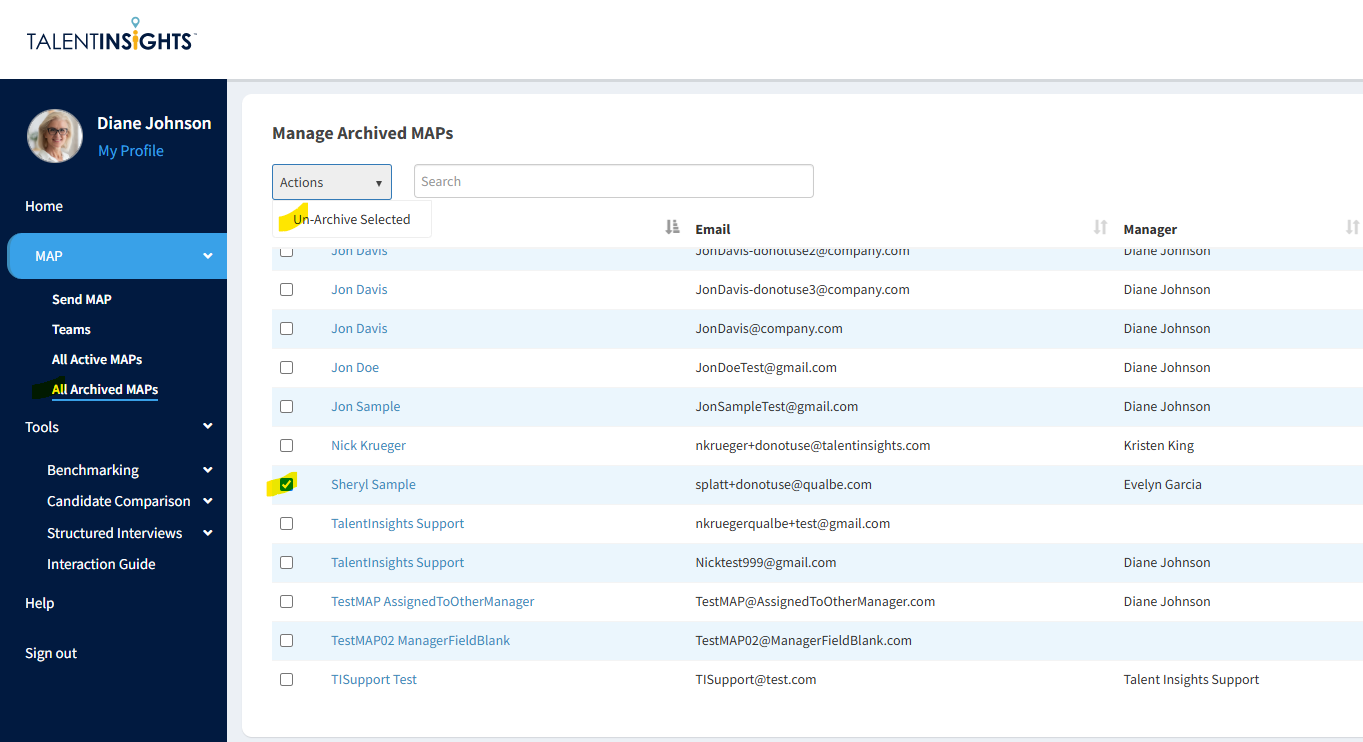
- Go to the ‘All Archived MAPs’ tab
- Check the box to the left of the name of each user you wish to un-archive.
- From the ‘Actions’ drop-down menu, select ‘Un-Archive Selected’
- The profile will no longer be listed on the ‘All Archived MAPs’ page, but can be found on the ‘All Active MAPs’ page.
Online Support
Need help getting started? Trouble sending a MAP? Have a problem with your account? Our dedicated support team is here to help.
Call Us
Having trouble or have a question? Call us at 682-730-2033. Our support team is available 8am to 5pm CST, Monday through Friday.
Call Now

Call Us
Having trouble or have a question? Call us at 682-730-2033. Our support team is available 8am to 5pm CST, Monday through Friday.
Call Now